OVERVIEW
I led a team that restructured Indeed's email component library to solve two problems: bloated code that hurt deliverability and rigid templates that slowed campaign velocity. The refactor reduced template complexity, improved load times, and gave marketing teams more creative flexibility.
PROBLEM
Recipients couldn't tell if Indeed's emails were legitimate. Inconsistent branding, poor rendering across clients, and unprofessional layouts made official communications look like spam. This trust problem translated to lower engagement rates and increased support burden.

CHALLENGES
Lack of coordination between email, branding, and product teams created systemic problems:
Email components diverged from the core design system
Accessibility requirements were missed
Users experienced different visual languages across email and product
SCORECARD AUDIT
Email components were rigid, inaccessible, and visually disconnected from the product. I redesigned the component library to use semantic tokens, meet WCAG 2.1 AA standards, support responsive layouts, and match the core design system's quality bar.
Score | Definition | |
|---|---|---|
100 | Possible | This number represents perfection and is rarely obtainable. |
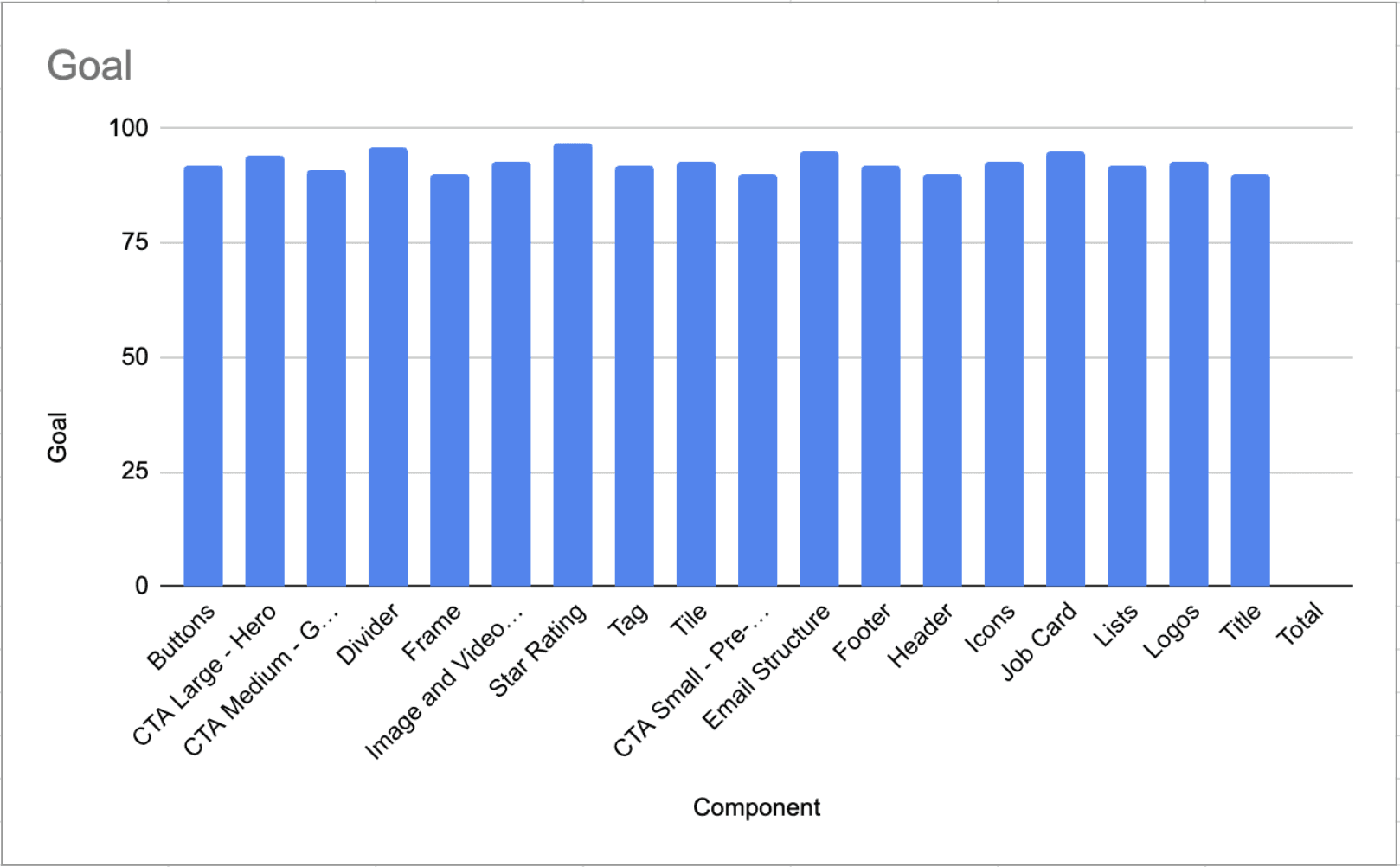
90+ | Target | Aiming for somewhere between 90 and 100 for an exceptional email experience. |
80-89 | Acceptable | OK with room for improvements. Considered lower priority. |
79 and below | Unacceptable | Needs significant improvements potentially leading to broken experiences. Prioritize critical work. |
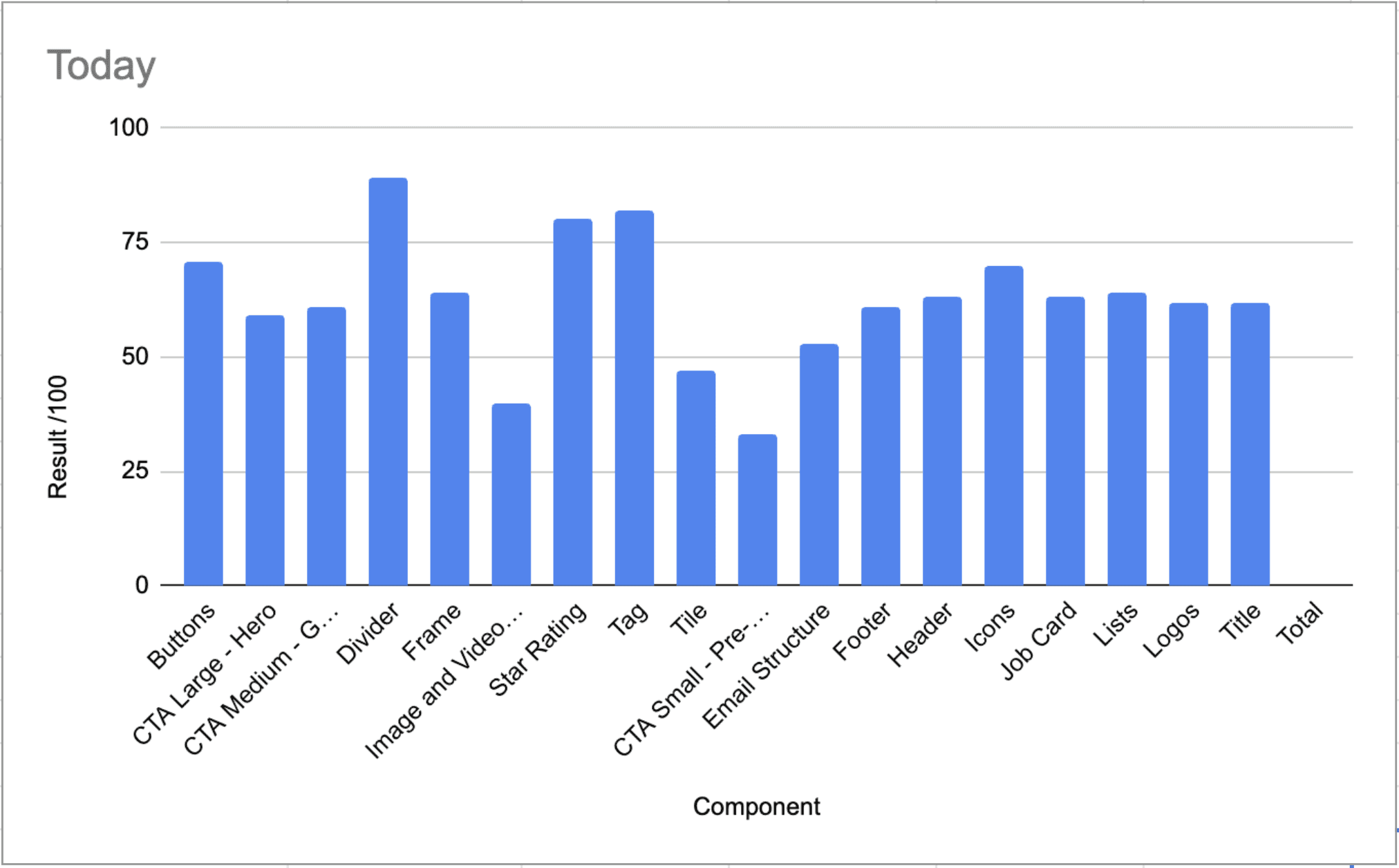
We discovered that the quality of the email components was "Unacceptable," with an average score of 60/100. This clearly indicated not just room for improvement, but an urgent need for enhancement.
SURVEY
We audited component naming across design and engineering, uncovering critical misalignment: designers and developers used different names for the same components, and some engineering components had no design documentation at all. This caused handoff confusion, implementation errors, and wasted time.
PLANNING
To align design and engineering, I led a workshop where both teams mapped components side-by-side, identified naming conflicts, and agreed on unified terminology. We left with a shared refactor plan and naming standards that both teams committed to adopting.
PROCESS
To prevent inconsistent refactoring, I guided team to build a step-by-step workflow that designers followed for every component: audit current usage, apply semantic tokens, fix accessibility gaps, test rendering, document patterns, and get cross-functional review. This standardized our quality bar.
DESIGN ENHANCEMENTS
Semantic Design Tokens
Migrated email components from primitive tokens (hex codes, pixel values) to semantic tokens (color-action-primary, spacing-md), connecting email styling directly to Indeed's core design system and enabling consistent updates across channels.
Trusted Documentation
Teams were constantly asking how to use components correctly. I assisted with documented usage guidelines, accessibility requirements, and implementation examples for each component, reducing support requests and preventing misuse.
Flexible Components
Designed components to be flexible and scalable, accommodating various use cases and future growth.
Accessibility
Ensured all components met or exceeded the Web Content Accessibility Guidelines to provide an inclusive user experience and meet legal requirements.
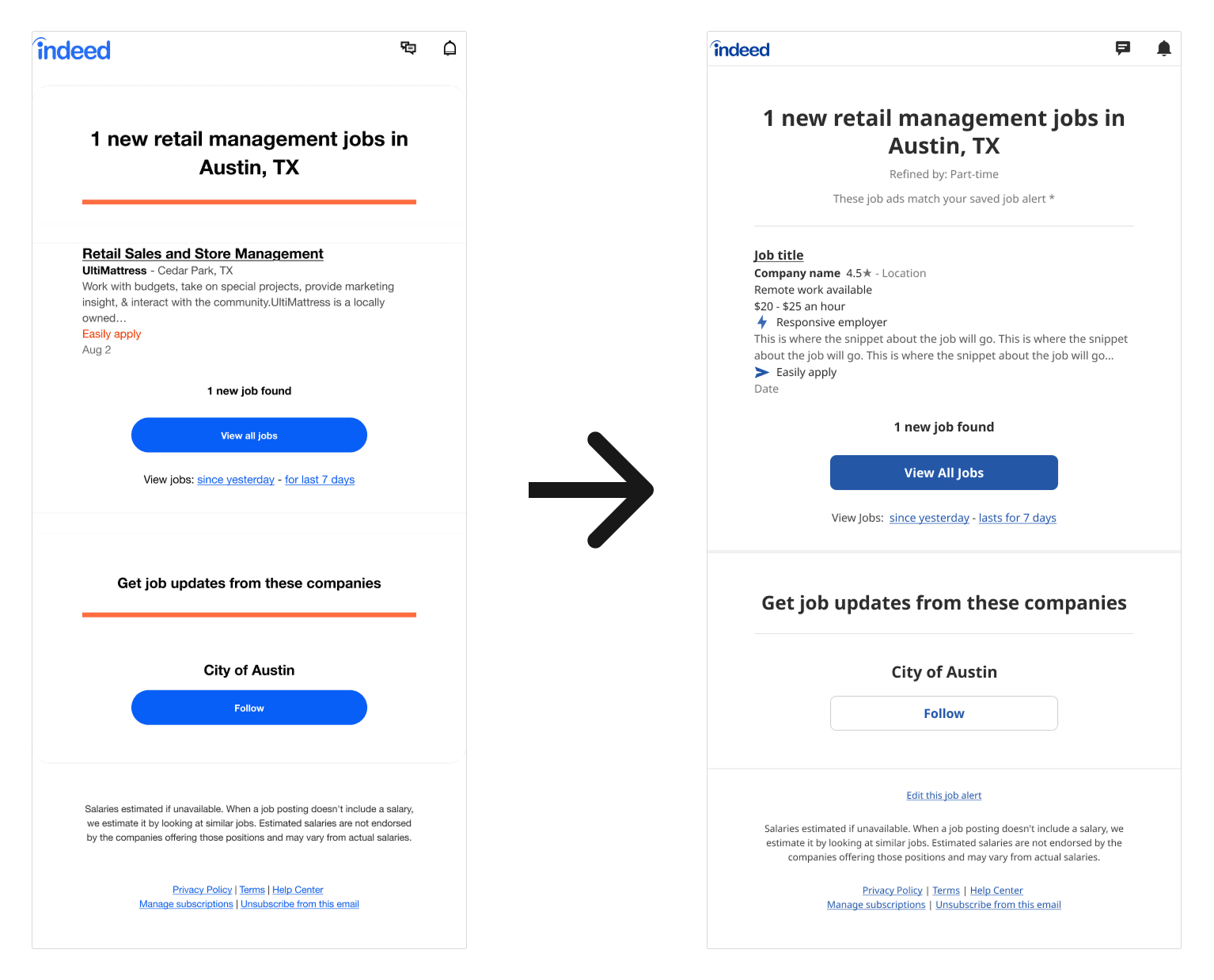
Component quality scores (based on accessibility, token usage, documentation, and rendering consistency) increased from 60/100 to 90/100 after the refactor, bringing email components to the same standard as product components.